How to Transfer Photos from Android to PC Without USB
Lost the cable, broken port, or just tired of MTP? You can move your photos over Wi-Fi in a few minutes — and unlike cloud uploads, the files never leave your network.
Lost the cable, broken port, or just tired of MTP? You can move your photos over Wi-Fi in a few minutes — and unlike cloud uploads, the files never leave your network.
Install a local Wi-Fi transfer tool on your phone — for example the free open-source PhotosMove — start it, open the shown address in a browser on your PC, enter the PIN, and download your photos as one verified ZIP. Both devices just need to share a network (same router, or a phone hotspot). No USB, no drivers, no cloud, no compression.
USB transfer on Android runs over MTP (Media Transfer Protocol), and while it works for a handful of files, three things regularly go wrong:
There is also the practical side: no cable within reach, a dead USB port, or a phone that only charges when plugged in. Wi-Fi transfer removes all of that.
| PhotosMove | Quick Share | Wi-Fi FTP app | Cloud upload | |
|---|---|---|---|---|
| Needs on PC | any browser | Quick Share app (Windows) | FTP client or Explorer | browser/account |
| Whole library at once | ✅ | ❌ | ⚠️ | ❌ |
| Keeps folder structure | ✅ | ❌ | ✅ | ❌ |
| Stays local (no cloud) | ✅ | ✅ | ✅ | ❌ |
| Integrity check after transfer | ✅ SHA-256 | ❌ | ❌ | ❌ |
| Cost | free, open source | free | free/freemium | free tier, paid storage |
Install PhotosMove, open it, and tap start. The phone runs a local server — no account, no setup.
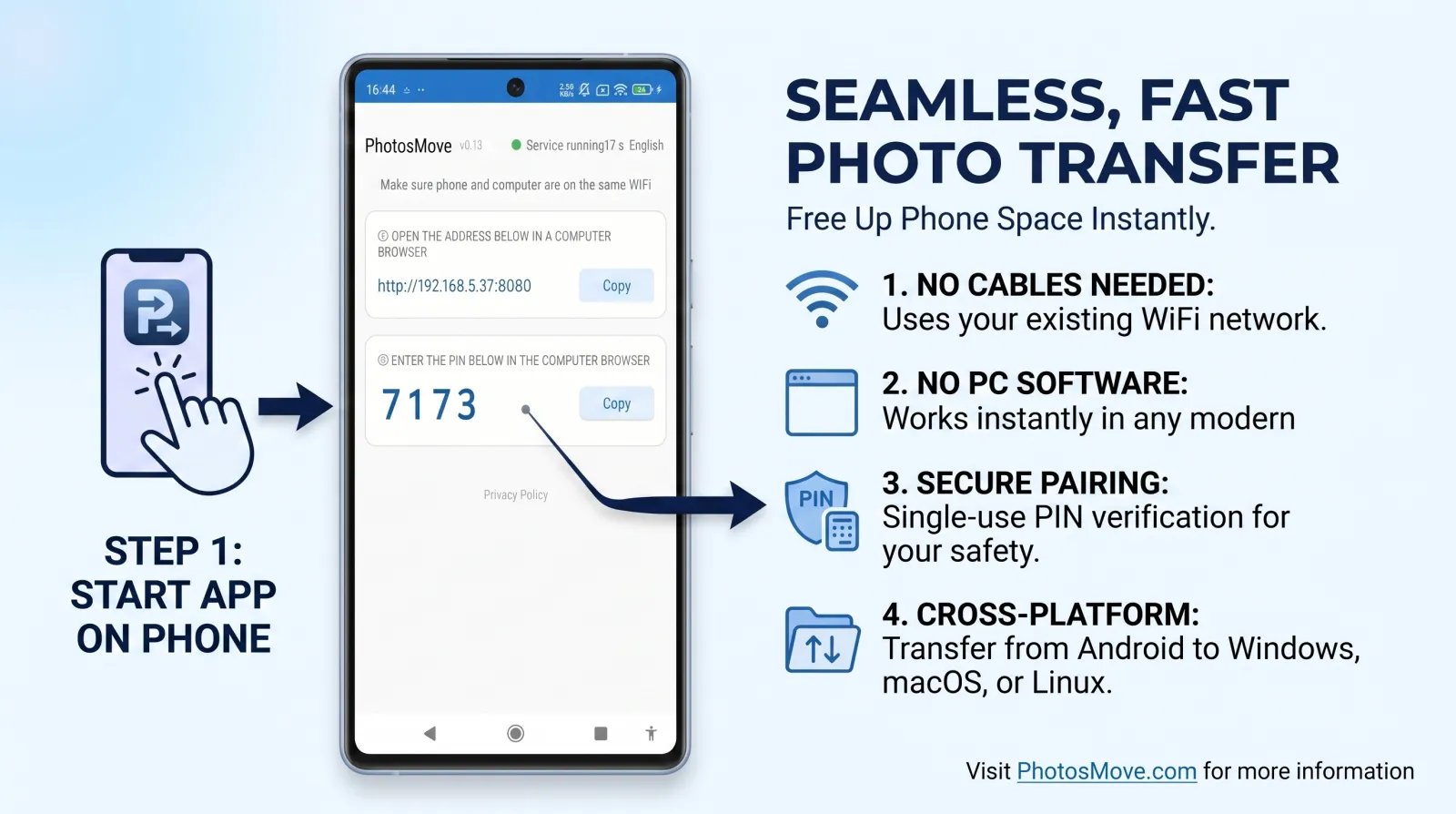
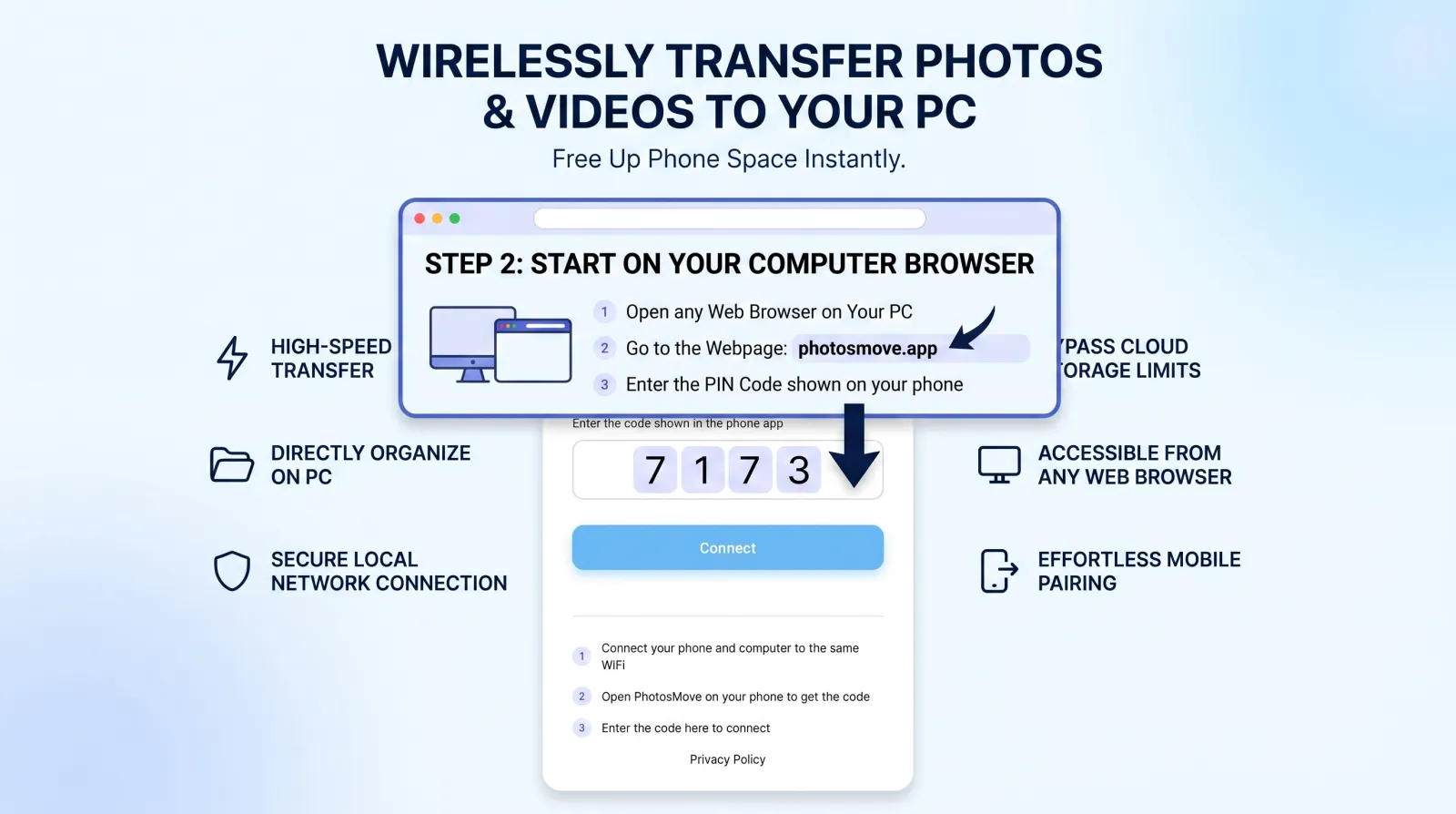
Same Wi-Fi, enter the 4-digit PIN shown on your phone.
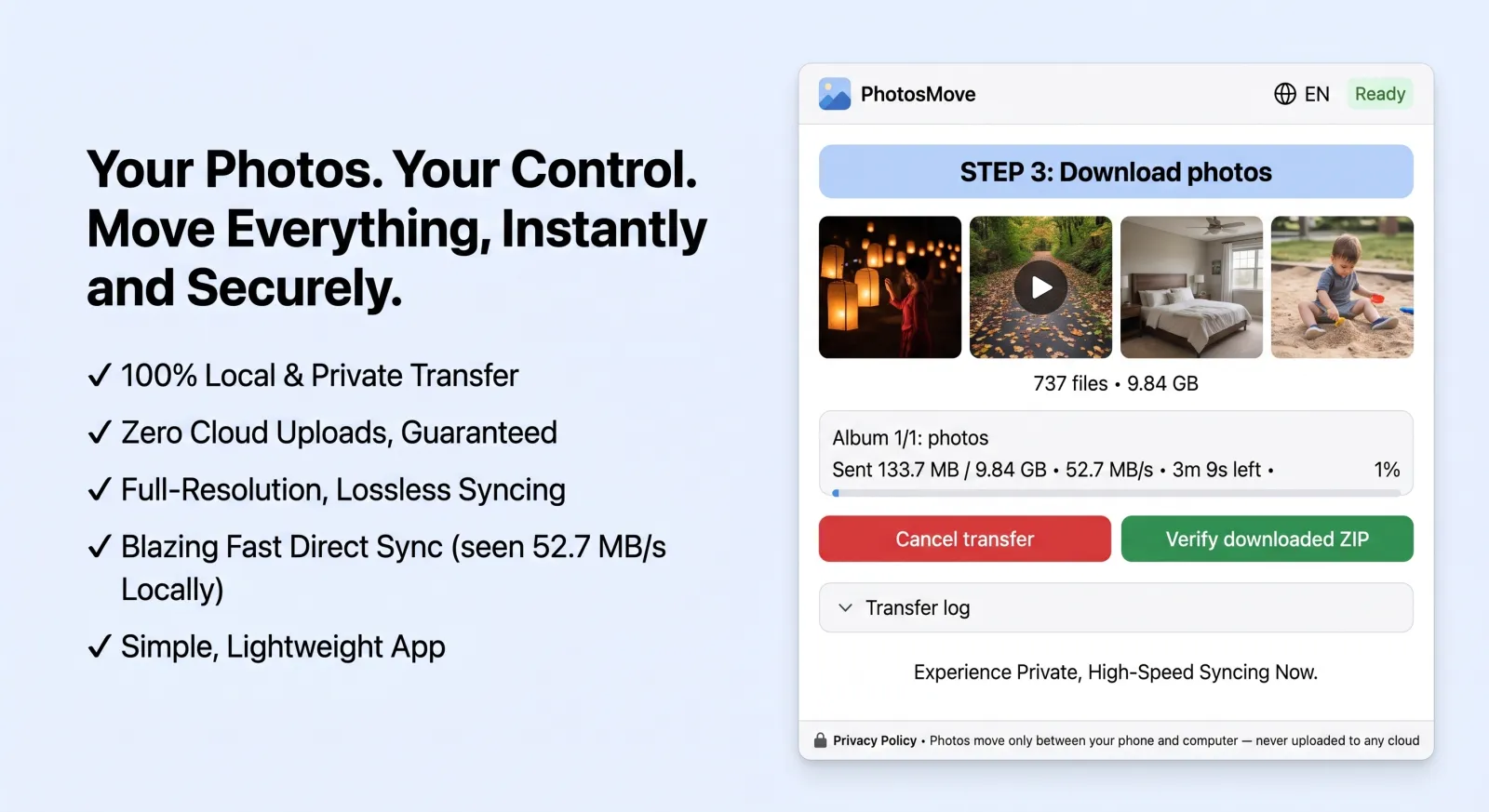
A single streaming ZIP, then a SHA-256 check runs locally in your browser.
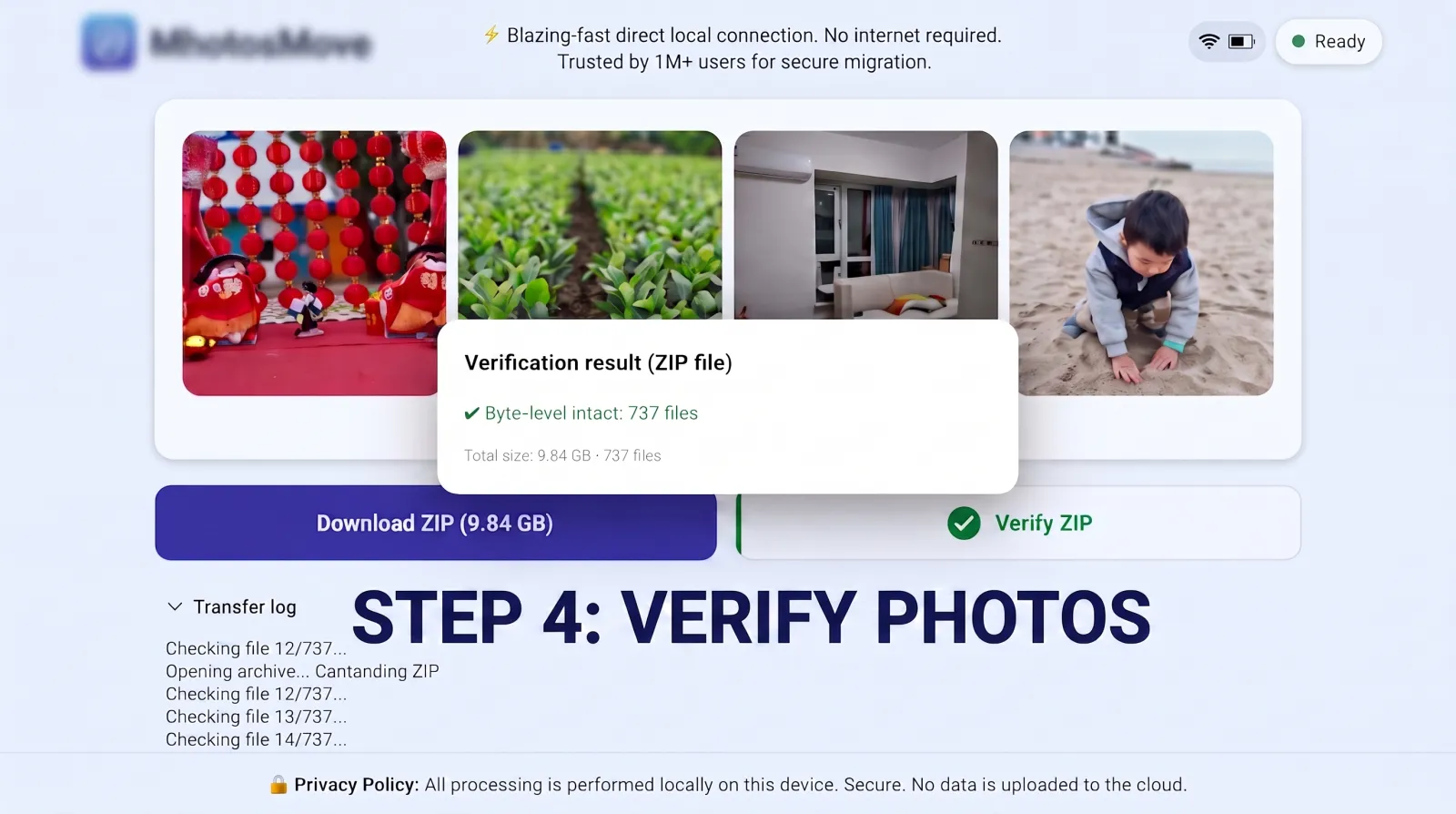
PhotosMove computes a SHA-256 checksum locally in your browser and compares it with the transfer manifest — green means every file arrived byte-perfect.
Wi-Fi transfer wins in most everyday scenarios: no cable hunt, no driver, no MTP stalls, and it works with any PC — including laptops without USB-C ports or Macs where Android File Transfer is abandoned. It's the clear choice for anything more than a handful of files.
The one case where USB still has an edge is a single, very large file (say, a 20GB video) with a working cable on a fast port: USB 3.0's raw link speed is higher than typical Wi-Fi throughput. But that advantage disappears the moment you're copying thousands of small photos, because MTP's per-file overhead dwarfs the link speed. For whole libraries — the common case — a streaming Wi-Fi transfer is both faster and more reliable in practice.
Yes. A direct local transfer keeps your photos inside your network. PhotosMove also requires a PIN from your phone, so only your own computer can connect.
For many small photo files, MTP's overhead often makes USB slower than it looks on paper. On Wi-Fi 5/6 you get tens of MB/s — plenty for a photo library.
Usually yes. If not, create a hotspot from the phone and connect the PC to it.
Yes — enable your phone's mobile hotspot and connect the PC to it (or wire the PC into a router that the phone connects to).
PhotosMove — free, open source, and your photos never leave your Wi-Fi.
No account · No cloud · No PC software