The cloud compresses your memories
Google Photos and similar recompress photos and transcode videos. RAW, HEIC and ProRes files lose quality — or get rejected.
Transfer 1600+ photos & videos (20GB+) — or even more — losslessly over your local Wi-Fi. Nothing is uploaded to the cloud. Nothing needs to be installed on your PC. Your photos stay yours.
Your photos never touch our servers No account No cloud No upload No tracking
Google Photos and similar recompress photos and transcode videos. RAW, HEIC and ProRes files lose quality — or get rejected.
MTP chokes on 100,000 files: disconnects, frozen transfers, lost order. It was never built for bulk migration.
Desktop apps, drivers, accounts. PhotosMove's PC side is just a browser tab.
Quick Share is great for sending a few files. PhotosMove is built for moving your entire photo library — every album, every folder, in one verified download.
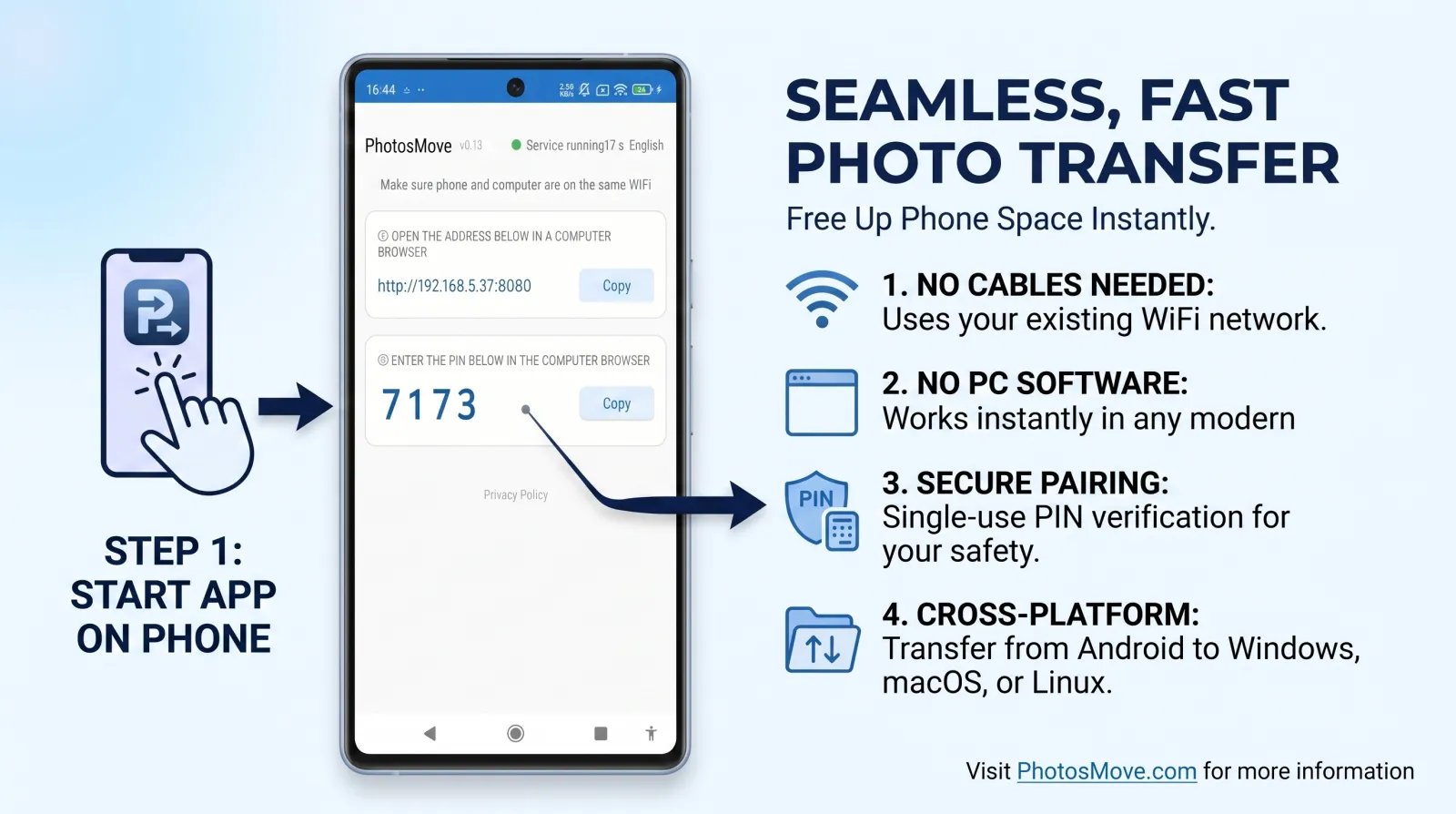
One tap starts a local server. No account, no setup.
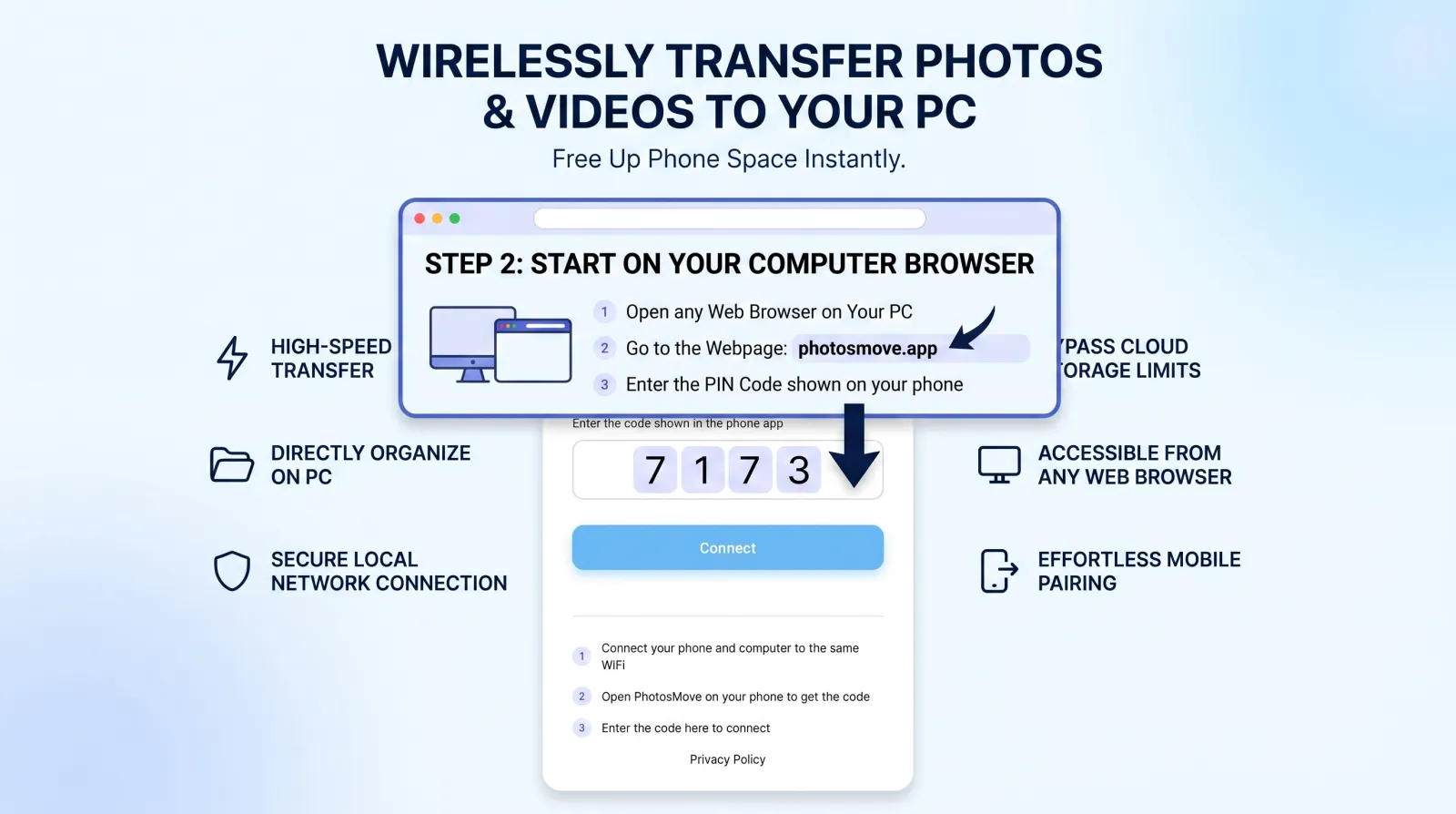
Same Wi-Fi, enter the 4-digit PIN from your phone.
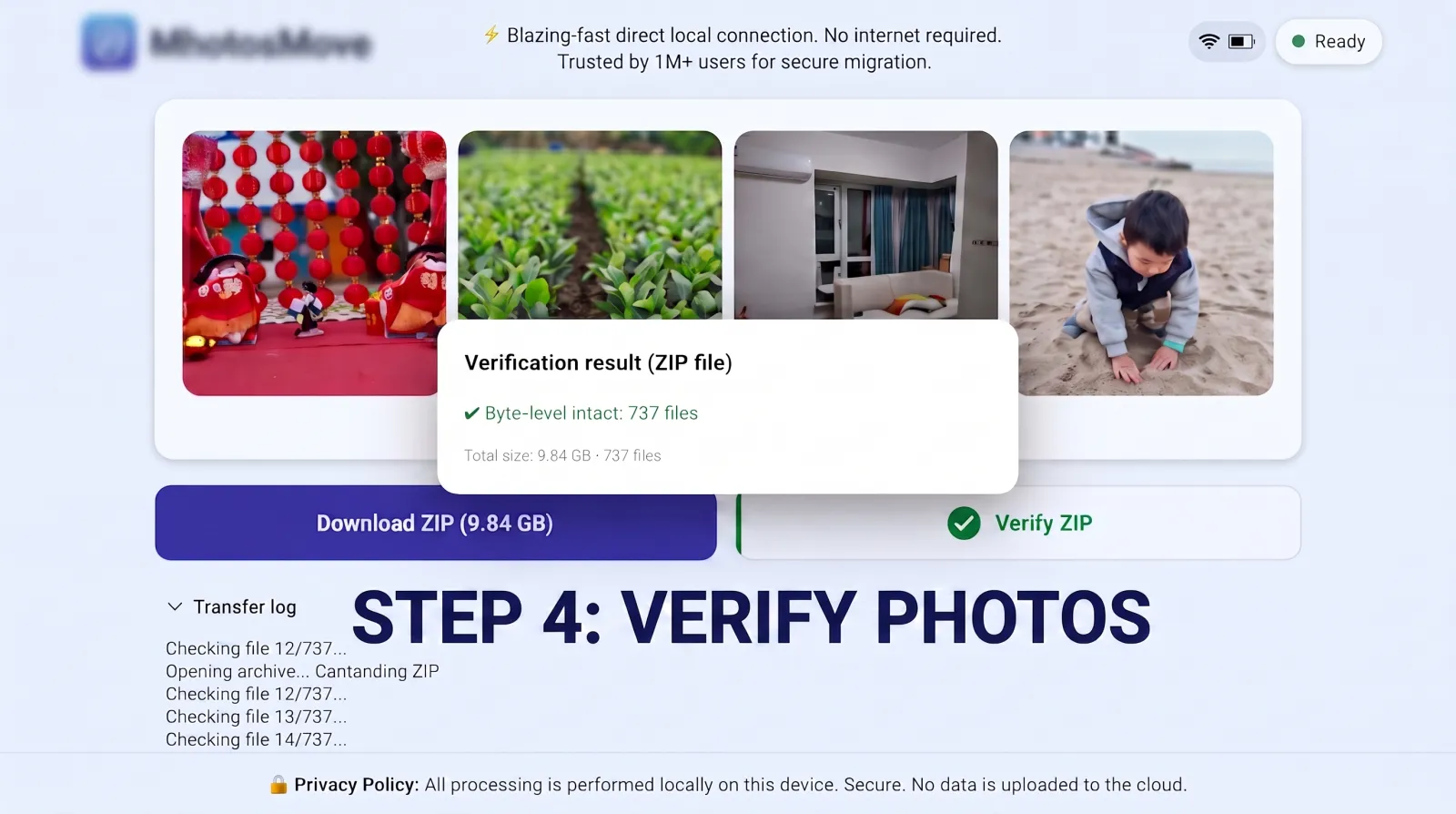
A single streaming ZIP, then a SHA-256 check runs locally in your browser.
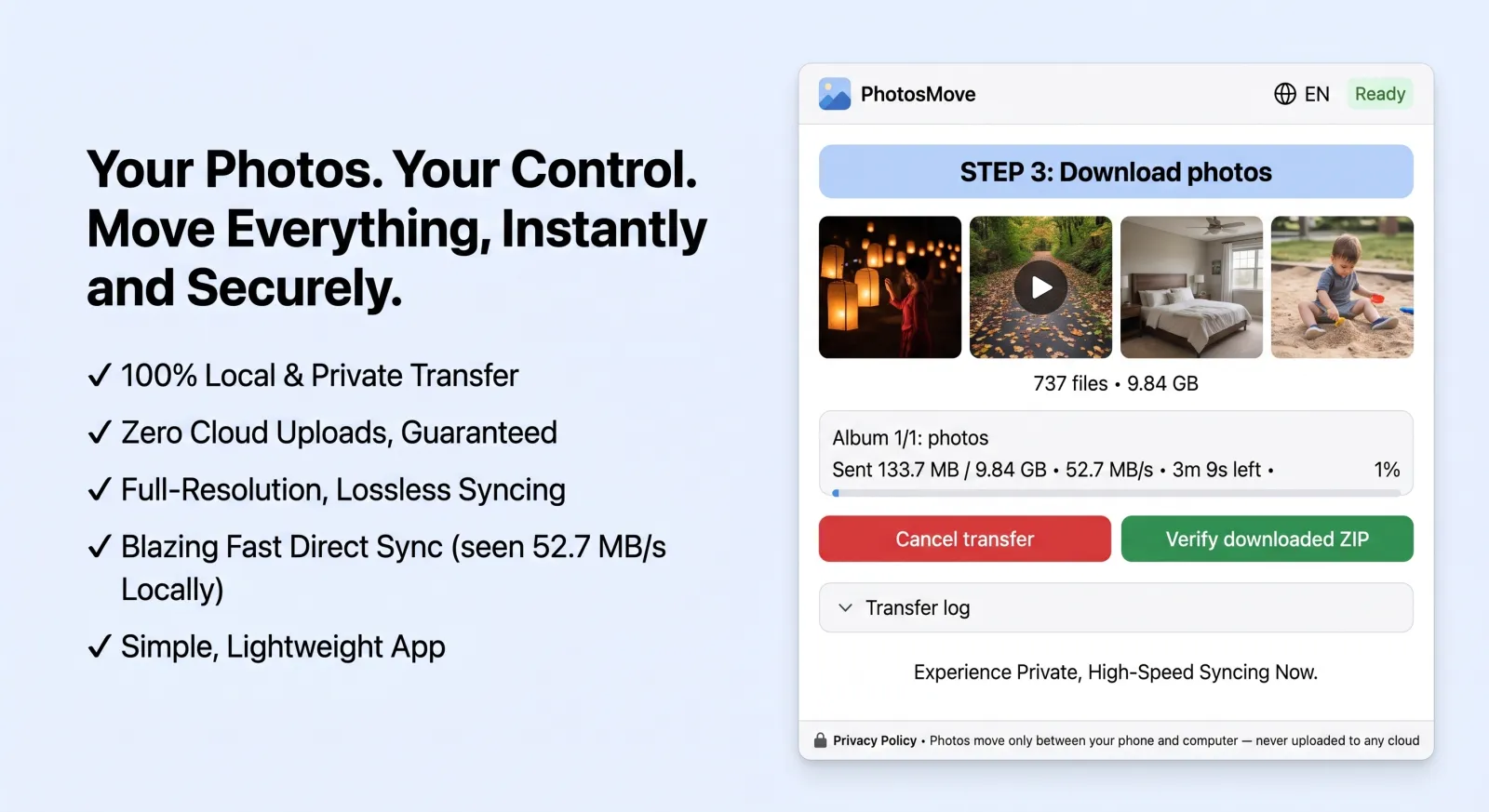
PhotosMove computes a SHA-256 checksum locally in your browser and compares it with the transfer manifest — green means every file arrived byte-perfect.
JPG/HEIC/RAW/DNG/MP4/MOV/Live Photo, EXIF, GPS, timestamps intact. No recompression, no transcoding.
One tap on the phone, one click in the browser. No driver, no client app, no account on the PC side.
Files land in the same DCIM/Pictures layout as on the phone.
Single streaming ZIP, ZIP64 for files over 4GB (DJI/GoPro footage).
SHA-256 verification after download — runs locally in the browser.
The transfer never leaves your Wi-Fi. No cloud, no telemetry, no servers.
Don't trust us — verify it yourself. GPL-3.0, fully auditable on GitHub.
| PhotosMove | USB / MTP | Quick Share | Immich | Google Photos | Syncthing | PhotoSync | Photo Transfer App | |
|---|---|---|---|---|---|---|---|---|
| Focus | one-click migration | manual copy | send a few files | self-hosted gallery | cloud gallery | general sync | transfer app | transfer app (free: 5/batch) |
| PC side | browser (no install) | cable | install app (Win only) | deploy server | cloud account | install client | install app | browser or desktop app |
| Byte-perfect original | ✅ | ✅ | ✅ | ✅ | ⚠️ compresses | ✅ | ⚠️ optional | ✅ |
| Keeps folder structure | ✅ | ⚠️ fragile at scale | ❌ | ❌ | ❌ | ✅ | ❌ | ❌ |
| Stays local (no cloud) | ✅ | ✅ | ✅ | ✅ | ❌ | ✅ | ⚠️ | ⚠️ optional cloud (PRO) |
| Bulk 100GB+ one download | ✅ | ⚠️ | ⚠️ | ✅ | ❌ | ⚠️ | ❌ | ❌ |
| Open source | ✅ | — | ❌ | ✅ | ❌ | ✅ | ❌ | ❌ |
No. All transfer happens on your local Wi-Fi. No cloud, no account.
It's a one-click migration tool today — get your photos & videos from phone to computer, lossless. Incremental sync is on the roadmap. It is not a continuous cloud backup.
No. Files are transferred byte-for-byte; EXIF/GPS/format are preserved.
Yes — streaming ZIP + ZIP64, validated on large libraries.
Not yet — Android only for now.
Any modern browser (Chrome, Edge, Firefox, Safari) on Windows, macOS or Linux. Nothing to install.
Yes — free and open source (GPL-3.0). No ads, no data collection.
Quick Share is built for sending a few files between nearby devices. PhotosMove is built for migrating an entire photo library — folder structure, one verified ZIP download, and a SHA-256 integrity check.
Photo Transfer App is a solid tool for sending a few photos between devices, but its free version limits each batch to 5 items and shows ads. PhotosMove is built for migrating your entire library — unlimited items, no ads, open source (GPL-3.0), with folder structure, and a checksum-verified ZIP download.
Step-by-step guides for each situation, written from real tests on large photo libraries.