The short answer
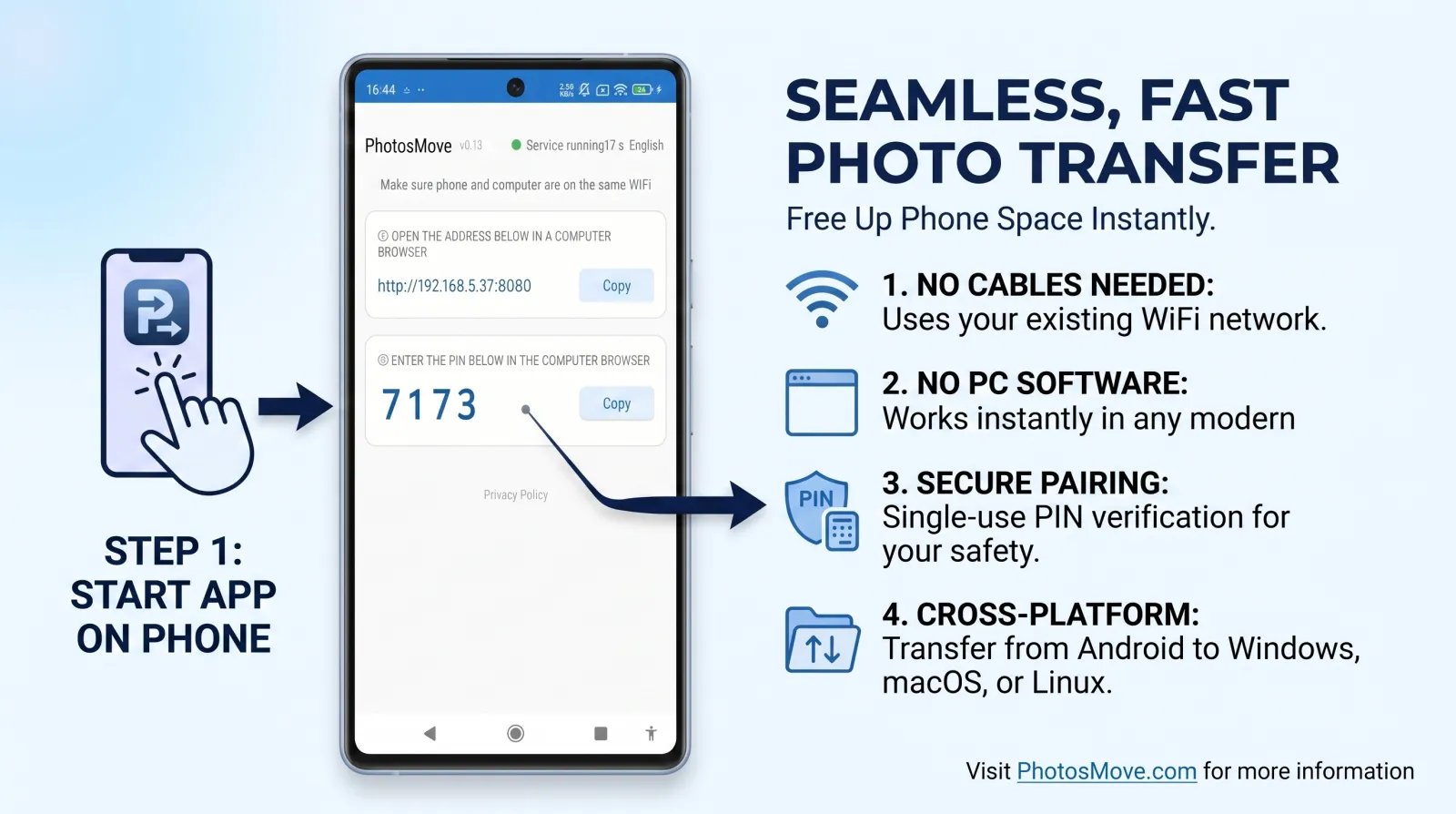
Install PhotosMove on your Android phone, start it, open the shown address in Edge or Chrome on your Windows PC, enter the PIN, and download your photos as one verified ZIP. It sidesteps MTP's stability problems entirely and needs nothing installed on Windows.
The three built-in Windows options, and where each breaks
File Explorer over MTP
Plug the phone in, pick File transfer, and drag folders out of DCIM. This works — until your library is large. Explorer issues a file request per file, so 50,000 photos means 50,000 round-trips over MTP. Copies stall, Windows loses the device, and "finished" folders are sometimes missing files.
Windows Photos app import
The Photos app can import from the phone and auto-group by date. It doesn't recompress originals, but it does reorganize files into its own date-based folders, and on large imports it has been known to duplicate or skip items. You also lose your album structure.
Quick Share for Windows
Google's Quick Share now has a Windows app. It's genuinely convenient for a few photos to a nearby PC. But it requires installing the app, it flattens everything into a received folder, and sending 10,000 photos one batch at a time is impractical.
Methods for Android to Windows, compared
How to transfer photos from Android to Windows (PhotosMove)
-
Start the app on your phone
Install PhotosMove and tap start. Your phone serves your albums on the local network.
-
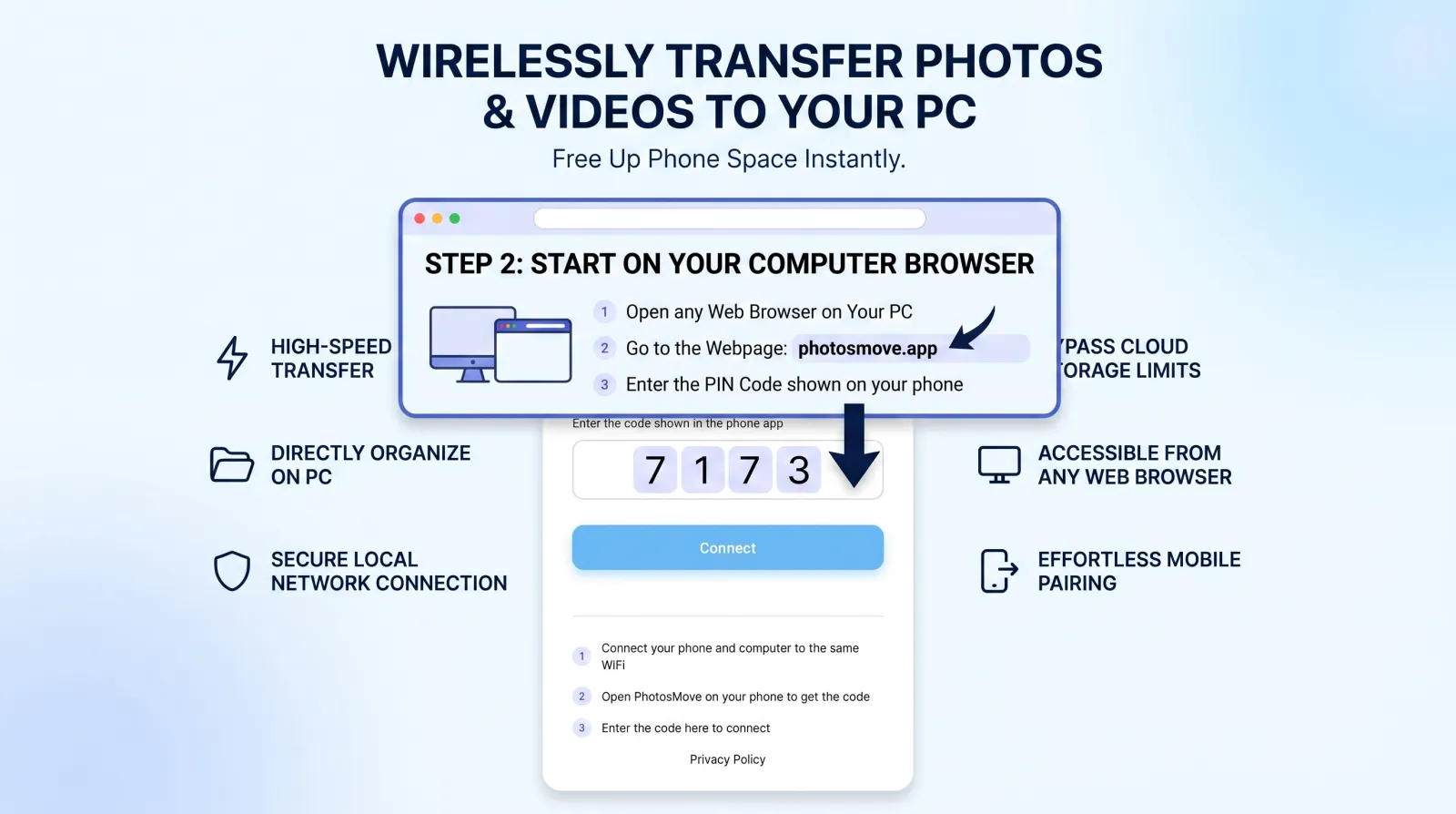
Open the connect page in Edge or Chrome
Same Wi-Fi, enter the 4-digit PIN shown on your phone.
-
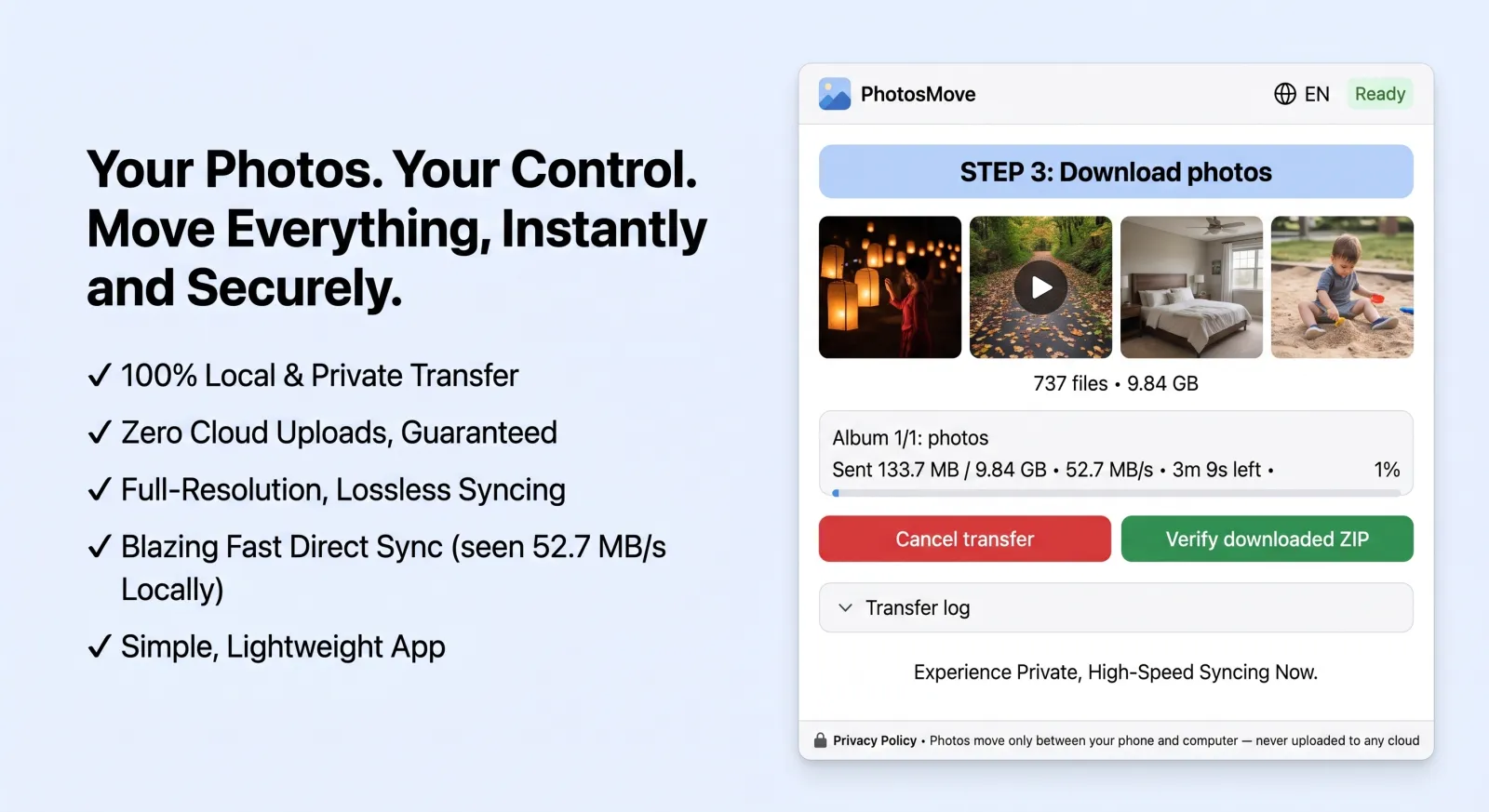
Download one ZIP — your entire library at once
Download the streaming ZIP and let the SHA-256 check confirm every file arrived intact.
-
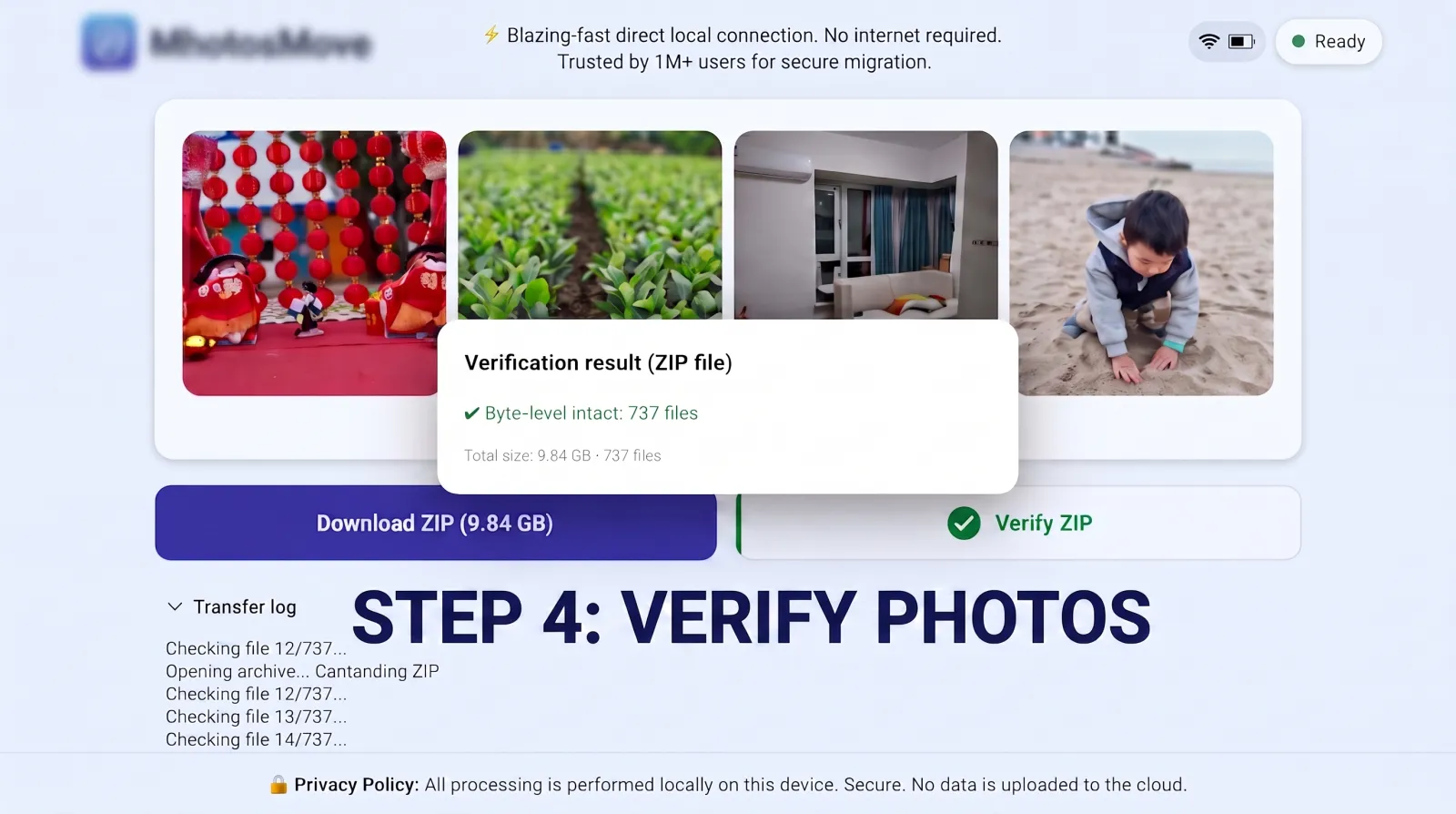
Verify it byte-for-byte
PhotosMove computes a SHA-256 checksum locally in your browser and compares it with the transfer manifest — green means every file arrived byte-perfect.
Windows-specific tips
- Allow the browser to download large files. Edge and Chrome handle multi-GB downloads fine, but keep the laptop awake — adjust power settings for the transfer window.
- Extract with a modern unzipper. Windows' built-in Zip extraction chokes on very large archives or deep paths. 7-Zip or WinRAR handle ZIP64 archives without issues.
- Path length. If your album names are long, extraction can hit Windows' MAX_PATH limits — extract to a short root path like
C:\photos first.
- Keep the original files. After verification, consider moving (not deleting) the ZIP until your next backup runs.
A few more Windows quirks to know about
- Real-time antivirus scans can slow the download. Windows Defender and third-party AV scan every downloaded chunk; for a multi-GB ZIP that adds noticeable overhead. If it's very slow, temporarily exclude your download folder — and re-enable scanning right after.
- Background updates compete for bandwidth. Windows Update, OneDrive sync and game updaters can saturate the network during your transfer. Pause them for the session.
- A scheduled restart can kill the transfer. Windows Update's auto-restart has a habit of interrupting long downloads. Check for pending restarts (Settings → Windows Update) and reboot before you start.
- Power settings matter on laptops. Set the power plan to "never sleep" on AC for the transfer window, or the PC can drop off the network mid-download.
Frequently asked questions
Does Windows 11 have a native way to import Android photos?
Windows 11 can browse your phone over MTP in File Explorer and the Photos app has an import function, but both are unreliable for large libraries — MTP disconnects under load and Photos import can duplicate or skip files.
Is Quick Share for Windows worth installing?
It's fine for a handful of photos from a Pixel/Samsung phone. But it needs the app installed, flattens your folder structure, and doesn't scale to a whole library.
Does the Windows Photos import compress my photos?
No — MTP imports copy originals as-is. The real risk is reliability: on large libraries the connection drops and imports finish with missing files.
Why is drag-and-drop from my phone so slow in Explorer?
Explorer copies over MTP with per-file requests. Thousands of tiny requests make large copies painfully slow — a streaming ZIP transfer avoids this entirely.
Move your library without the MTP roulette.
PhotosMove — free, open source, works in any browser on Windows.
No account · No cloud · No PC software
Related guides